Uncategorized

Uncategorized

Local Citations and Directory Listings: Best Free Listing Sites in India

Local Citations India: Best Free Listing Sites for Your Business Type your shop’s name into Google. Is the phone number the same everywhere you appear? Is the address spelled the same way on every site? If not, you have a local citations India problem, and it quietly holds back your Google Maps ranking. This guide explains what local citations India businesses need, which free business listing sites are worth your time, and how to keep every detail consistent so search engines trust you. What Are Local Citations India Businesses Need to Know About? A local citation is any online mention of your business name, address and phone number, usually called NAP. It can sit on a directory, a social profile, a map app or a news page. Even without a link, it counts as a mention. There are two kinds. Structured citations live on directories and listing sites, where each field is filled in a form. Unstructured citations are mentions inside blogs, news stories or event pages. Why does this matter for local citations India owners? Google’s local ranking guide says prominence is based partly on what Google knows about your business from across the web, including links, articles and directories. Accurate, matching listings help Google confirm that you are real and where you operate. They also give customers more places to find you. The local citations India owners build won’t replace a good Google Business Profile or a useful website. They support both. NAP Consistency: The Rule That Matters Most Of everything in local citations India work, NAP consistency matters most. It means your name, address and phone number are written the same way everywhere. Here’s a typical problem. A shop is “Sree Krishna Traders, 12 MG Road” on Google, “Sri Krishna Trading Co., M.G. Road” on a directory and shows an old mobile number on a third site. To a person, that’s obviously one shop. To a machine, it can look like three. Fix it with a master NAP sheet: Business name: exactly as it appears on your signboard and invoices Address: one fixed format, including the PIN code Phone: one main number, with the same format each time Website: one version, with or without www, used everywhere Categories and hours: the same wording on every profile Copy from this sheet every time you create a listing. Never retype from memory. Good NAP consistency takes discipline, not fancy tools. Best Free Business Listing Sites in India The best business listing sites India offers depend on what you sell. A clinic, a wedding photographer and a machine parts supplier don’t need the same list. Start with the platforms almost every business can use, then add Indian directories and industry-specific sites. Together, these form the foundation of local citations India businesses depend on. Site Best for Free option Google Business Profile Every local business Yes Bing Places for Business Every local business Yes, and it can import from Google Apple Business Connect Apple Maps visibility Yes Justdial Local consumers searching for services Basic listing, with paid plans offered Sulekha Home and professional services Check current terms IndiaMART Manufacturers, suppliers, B2B sellers Free seller account Facebook, Instagram, LinkedIn pages Every business Yes Features and fees change, so read each site’s current terms before you sign up. And don’t pay for a premium plan until you’ve seen what the free listing brings in. Start with the big three Claim your Google Business Profile first, then add Bing Places and Apple Business Connect. Bing lets you import your Google details, which saves time and keeps your NAP identical. Apple’s portal lets you claim or add your place on Apple Maps. Add Indian directories The best business listing sites India customers actually use give you extra mentions and reach people who search on them directly. IndiaMART’s own help page says you can create a free seller account with no registration cost, though your catalog needs a few products and an address, and it can take days to appear. Choose only the directories your customers actually use. Don’t forget social profiles Facebook, Instagram and LinkedIn pages also carry your NAP. Make sure the bio, contact section and website link match your master sheet. How to Create a Justdial Listing the Right Way A Justdial listing is a common first stop for Indian small businesses, so it deserves care. Your Justdial listing should follow the same NAP sheet as every other profile. Search for your business name and phone number first, because an older listing may already exist. Claim it instead of creating a duplicate. Then enter your details from your master NAP sheet, choose the most accurate categories and add hours, photos and a short description. Expect sales calls offering paid plans. You don’t have to buy anything to keep a basic profile. Treat paid options like any ad: ask what you get, for how long and at what price, and compare it with other ways to spend the same money. [ADD: one short real example from your own work, such as a business whose listings you cleaned up and what changed. Use real numbers only.] How to Build Local Citations India Step by Step Here is a simple process for building local citations India owners can follow in a weekend. Write your master NAP sheet. One name, one address format, one phone number. Audit what exists. Search your business name, old addresses and old phone numbers. Claim and correct existing listings. Fix them before you create new ones. Create the priority listings. Google, Bing, Apple, then Justdial and any directory that fits your trade. Fill every field. Add categories, hours, photos and a plain-language description. Log everything. Record the site, listing link, login email and date in a spreadsheet. Recheck every quarter. Update all listings together when anything changes. The log is the step people skip, and it’s the one that saves you when you move shop or change your number. Common Mistakes With Citations Most local citations India owners build go wrong
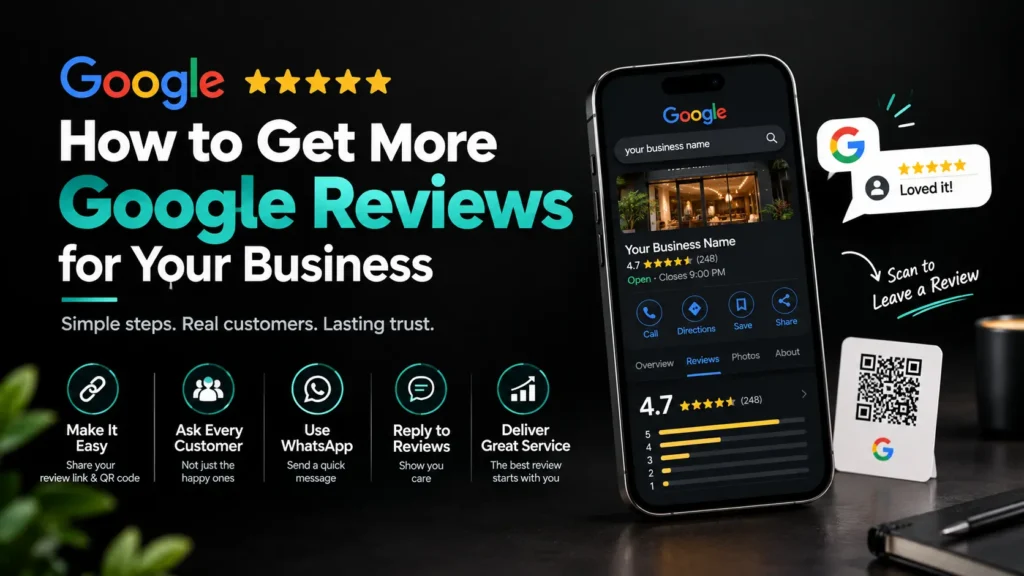
How to get more Google reviews for a business, featuring a smartphone displaying Google Maps ratings, five-star customer reviews, a QR code for review collection, and tips to share review links, ask customers, use WhatsApp, and respond to reviews.
Uncategorized

How to Get More Google Reviews for Your Business

How to Get More Google Reviews for Your Business Picture two clinics on the same road. One has a handful of reviews, the other has hundreds, and a stranger searching on their phone will usually call the second. If you’re wondering how to get more Google reviews for your own shop, clinic or restaurant, the answer is simpler than most owners think: make it easy, ask every customer, reply to everyone and stay within Google’s rules. This guide covers all four, with message templates you can use today. Why Google Reviews for Local Business Matter Most people check ratings before they visit, whether they’re picking a dentist near the main junction or a biriyani place across town. Reviews answer the question they can’t ask you directly: will this be worth my time and money? Reviews also feed into how your listing ranks. Google’s local ranking guide says prominence, which includes review count and score, is one of the three factors alongside relevance and distance. So learning how to get more Google reviews helps you twice: it wins the customer who is comparing options, and it helps you appear in front of more of them. The trick in how to get more Google reviews is to do it the honest way. Google removes fake and incentivised reviews, so shortcuts leave you with nothing to show for the effort. How to Get More Google Reviews: 7 Practical Ways Here’s how to get more Google reviews without a budget. It takes a routine, not a campaign. 1. Make leaving a review effortless Every extra tap costs you reviews. Google lets you create a direct link and a QR code that open the review box, as it explains in its tips for getting more reviews. Save that link on your phone and print the QR code. 2. Ask every customer, not only the happy ones This is the rule most Kerala owners miss. Google’s policy says merchants may not selectively ask only satisfied customers for reviews. So ask everyone, in the same way, and let the ratings fall where they fall. This is the honest version of how to get more Google reviews, and it’s the version that lasts. An honest mix of four and five stars with the odd three looks more trustworthy than a wall of perfect scores anyway. 3. Send the link on WhatsApp WhatsApp is where your customers already are, so for many Kerala owners, how to get more Google reviews starts with one WhatsApp message. After a delivery, a service visit or a checkout, send a short message with the link. Here is a template you can adapt: Thank you for visiting [Business Name]. If you have a minute, we’d really value your honest feedback on Google: [link] In Malayalam, you could write: “ഞങ്ങളുടെ സേവനത്തെക്കുറിച്ച് നിങ്ങളുടെ അഭിപ്രായം ഗൂഗിളിൽ പങ്കുവെക്കാമോ? [link]”. Check the wording with a native speaker on your team so it sounds natural for your customers. 4. Put the QR code where people already look Print the QR code on your bill, packaging, table stands and counter. A small card saying “Tell us how we did” works better than a loud poster. Place it where customers wait, such as the billing counter or reception. 5. Train your staff to ask naturally Your team talks to customers more than you do, which makes staff the biggest lever in how to get more Google reviews. Teach them one friendly line, such as “If you liked the service, a Google review helps us a lot.” Don’t set review targets for staff or pressure customers to post on the premises, because Google’s policy doesn’t allow either. 6. Follow up after the sale Not everyone will review on the spot. A message the next day, when the customer has used the product or healed after the procedure, often works better. It is also one of the easiest answers to how to get more Google reviews from customers who forgot the first time. 7. Earn the review first No tactic beats a good experience when you think about how to get more Google reviews. Google reviews for local business owners are a mirror of daily service. If your delivery is late or your reception is rude, reviews will say so. Fix the cause and the ratings follow. [ADD: one short real example from your own work, such as a local business whose review count grew after a routine like this. Use real numbers only.] What Not to Do Some popular answers to how to get more Google reviews can get reviews removed or your listing flagged. Avoid these: Offering discounts, gifts or free items in exchange for a review Asking only happy customers, or steering unhappy ones away from Google Writing reviews yourself, or asking staff, relatives or friends to post them Buying reviews from an agency or a “review pack” seller Asking customers to use specific words or a specific star rating “Show your review and get 10% off” is a common offer in many cities. Google counts it as an incentivised review, so skip it. How to Respond to Google Reviews Replying is free, it builds trust, and prospects read your replies as closely as the reviews. Learning how to respond to Google reviews well is half of the job, because how to get more Google reviews and how to answer them are two halves of one routine. Google suggests keeping replies professional, brief and personal, and avoiding promotional offers. Reply promptly, and expect your response to appear shortly after Google checks it. Replying to a positive review Thank you, [Name]. We’re glad the visit went well, and we look forward to seeing you again. Use the customer’s name and mention one detail from their review. Skip copy-paste replies, since people notice. Replying to a negative review Hi [Name], we’re sorry your visit wasn’t what it should have been. Please call us on [number] so we can look into this properly. Stay calm, apologise where it’s fair, and move the details

Google Business Profile setup for Kerala businesses, featuring a smartphone displaying a Google Maps business listing, local map pins, and a storefront illustration, highlighting how businesses can improve local visibility, get more calls, and attract customers.
Uncategorized

How to Set Up and Optimise a Google Business Profile for a Kerala Business

Google Business Profile Setup for a Kerala Business: A Step-by-Step Guide Open Google Maps and search for a service near you, and the businesses at the top share one thing: a complete, verified listing. If yours isn’t there yet, a proper Google Business Profile setup is the fastest free way to fix that. Many Kerala owners still call it Google My Business, which is the old name, but the steps are nearly the same. This guide walks you through setup, verification and optimisation, with notes for shops, clinics, restaurants and home-service providers across Kerala. Why Google Business Profile Setup Matters for Kerala Businesses People in Kochi, Kozhikode, Thrissur and smaller towns search on their phones before they visit, call or book. They type in English, Malayalam or a mix of both, and Google answers with a map, ratings, photos and a phone button. A good Google Business Profile setup puts your business in that answer. It costs nothing, it works around the clock, and it helps customers who have never heard of you. For many local businesses, it brings more calls than a website does. That’s why Google Business Profile setup is the first local marketing task worth finishing. It also protects you. If you don’t claim your listing, customers or Google’s own data can create one for you, with the wrong hours or an old phone number. Before You Start: What You Need Keep these ready so your Google Business Profile setup takes a short sitting instead of a scattered afternoon: A Google account you control, ideally a business email, not a personal one Your real business name, exactly as it appears on your board or invoices Your full address, or the areas you serve if you travel to customers A phone number you answer, and your website if you have one Opening hours, including a lunch break if you close A few clear photos of your shopfront, inside and products Step-by-Step Google Business Profile Setup Here is the Google Business Profile setup process from start to finish. Find or add your business. Search for your business name on Google or Maps while signed in. If a listing exists, claim it. If not, choose the option to add your business. Enter your real business name. Use the name customers see on your sign. Don’t add keywords or a tagline. Pick your primary category. Choose the most specific one that fits, such as “Ayurvedic clinic” rather than “Health”. Add your address or service areas. Storefronts add a precise address. If you travel to customers, you’ll set service areas instead (more on this below). Add your phone number and website. Verify your business. Google decides which options you see. Fill in hours, services and attributes. Include special hours for festivals. Add a description and photos. This is where optimisation starts. Google’s own guidelines for representing your business say your name should match the real-world name customers see, and that P.O. boxes and virtual offices aren’t eligible. Read them once before you submit, because a suspended profile is harder to fix than a careful setup is to do. [ADD: one short real example from your own work, such as a Kerala business whose profile you set up and what changed. Use real numbers only.] Verification: What to Expect No Google Business Profile setup is finished until you verify it. Google must confirm that you really run the business. Depending on your category and location, you may see options such as a phone call, text message, email, a video recording or a postcard. If you’re offered a video, record a short, continuous clip. Show your signboard, your premises and proof that you operate there, such as equipment or stock. If you serve customers at their homes, show your vehicle, tools and branded materials. A postcard, where offered, can take several days. If a faster option appears, choose it. If verification fails, don’t create a second listing. Fix the details and try again, since duplicates cause bigger problems later. Service Area Business or Storefront? Set It Up Right Not every Kerala business has a shop. Plumbers, electricians, home tutors, caterers and photographers often work at the customer’s place. For them, a service area business listing is the right choice. Type Customers visit you Address shown Example Storefront Yes Yes Bakery, clinic, showroom Service area business No Hidden Electrician, mobile mechanic Hybrid Yes, and you also travel Yes, plus service areas Salon with home visits A service area business follows the same Google Business Profile setup steps, with one change. Google’s help page on managing your service areas says that if you don’t serve customers at your business address, you should remove it and keep only your service areas. You can add up to 20 areas, such as cities or postal codes, and they shouldn’t stretch much beyond about two hours of driving from your base. Be honest here. Listing every district in Kerala when you work in one town won’t help you rank, and it can hurt trust. How to Optimize Google Business Profile After Setup Google Business Profile setup gets you listed. Optimisation helps you win clicks. If you want to optimize Google Business Profile pages properly, work through these in order. Categories and services Your primary category matters most. Add a few secondary categories for other things you do, then list each service or product with a short, plain description. Description and photos Write your description for customers, not search engines. Say what you do, where you serve and what makes you different. Add a logo, a cover photo and real pictures of your work. Sharp phone photos beat stock images every time. Hours, offers and updates Update your hours before Onam, Vishu, Eid, Christmas and local festivals. Wrong hours lead to wasted visits and bad reviews. Share offers and news as updates so your profile looks active. Reviews Ask happy customers for a review and send them a direct link on WhatsApp. Reply to every review, including the critical ones,

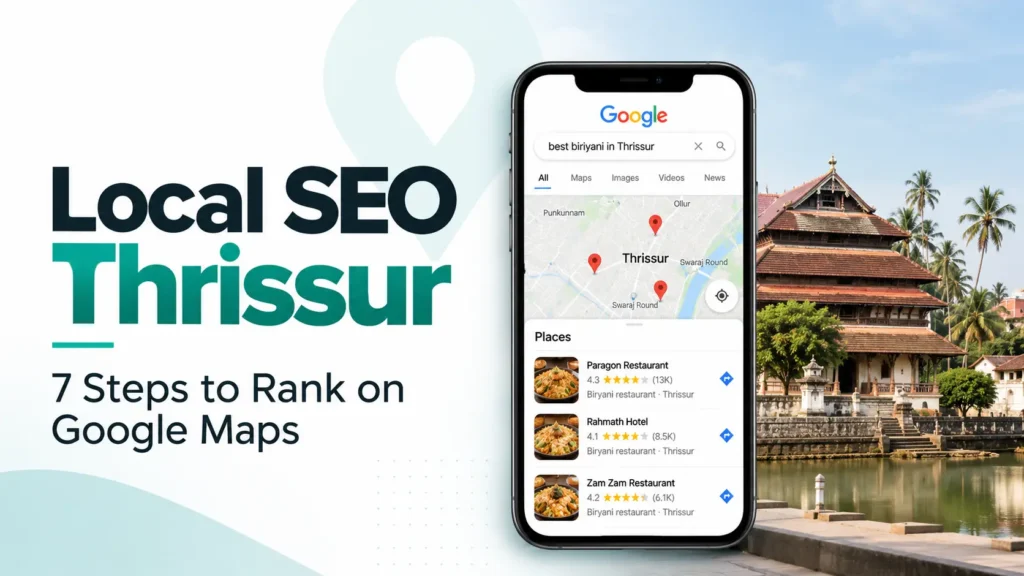
Professional Local SEO Thrissur banner featuring a smartphone displaying Google Maps search results, location pins, and the headline “7 Steps to Rank on Google Maps” on a clean white and teal background.
Uncategorized

Local SEO for Thrissur Businesses: 7 Steps to Rank on Google Maps

Local SEO Thrissur: 7 Steps to Rank on Google Maps Search “dentist near me” or “best biriyani in Thrissur” and look at the map box at the top of the results. The three businesses listed there get most of the calls and walk-ins. If you want to be one of them, you need a simple local SEO Thrissur plan, not a pile of random tips. This guide gives you seven practical steps to rank on Google Maps, written for shop owners, clinics, restaurants and service providers in and around Thrissur. What Local SEO Thrissur Shops and Clinics Really Need Local SEO is the work of making your business show up when people nearby search for what you sell. It is different from general SEO because Google shows a map and a short list of nearby businesses before the normal blue links. Good local SEO Thrissur work rests on three ideas that Google itself describes in its local ranking guide: relevance, distance and prominence. Relevance means how well your profile matches the search. Distance means how close you are to the person searching. Prominence means how well known and trusted your business looks, from reviews, mentions and your website. You can’t change distance, since a shop at Swaraj Round is where it is. But you can improve the other two, and the seven local SEO Thrissur steps below show how. Step 1: Start With Google Business Profile Optimization Your Google Business Profile is the single most important asset in local SEO Thrissur campaigns. It is the listing that appears on Maps and in the local pack. Claim it, verify it, and then fill in every field. Use your real business name as it appears on your board, with no extra keywords added, because stuffing the name goes against Google’s guidelines and can get a listing suspended. Add your exact address, a local phone number, opening hours, your website and an appointment or order link if you have one. Strong Google Business Profile optimization is mostly patience. Complete profiles simply give Google more to match against a search. [ADD: one short real example from your own work, such as a Thrissur business whose profile you improved and what changed. Use real numbers only.] Step 2: Choose the Right Categories and Services Your primary category tells Google what you are. Pick the most specific one that fits, such as “Dental clinic” instead of just “Doctor”. Category choice shapes which local SEO Thrissur searches you can appear in. Then add a few secondary categories for the other things you do. Next, list your services or products with short, honest descriptions. Write your business description for people first. Mention what you offer, which part of Thrissur you serve and what makes you different, in plain language. Step 3: Keep Your Name, Address and Phone Identical Everywhere Google cross-checks your details across the web. If your shop is “Sree Traders” on Google, “Sri Traders Thrissur” on Facebook and has an old phone number on a directory, you create doubt. Check these places and make them match: Your website footer and contact page Facebook and Instagram profiles Directories such as Justdial and Sulekha Industry listings relevant to your trade Any old maps or business apps you forgot about Inconsistent details are a quiet local SEO Thrissur problem that many owners never notice until someone audits the listings. Step 4: Collect and Reply to Reviews Reviews are a major part of prominence. They also influence whether a stranger picks you or the shop next door. The right way to get them is simple. Ask happy customers right after a good experience, send a direct review link on WhatsApp, and keep a small QR code at the counter. Never pay for reviews or write them yourself, because that breaks Google’s policies and customers can usually tell. Reply to every review, including the bad ones. A calm, specific reply to a complaint often builds more trust than ten five-star ratings. Reviews also carry weight in local SEO Thrissur results because they show real customers, real names and real experiences. Step 5: Add Real Photos, Posts and Updates Active profiles look alive. Upload clear photos of your shopfront, inside, team, products and parking, since people like to see where they are going. Photos taken on a phone are fine as long as they are sharp and honest. Then post updates regularly. Share offers, new arrivals and event dates. In Thrissur, festival timing matters: Thrissur Pooram, Vishu, Onam and wedding season all change what people search for and when. Posting a relevant offer a few weeks ahead keeps your profile useful and gives people a reason to click. Few competitors do this well, so regular posting is an easy local SEO Thrissur advantage. Step 6: Fix Your Website for Local Search A map listing works better when your website backs it up. For any serious local SEO Thrissur effort, check these basics: Put your city and service in the page titles, for example “Interior Designer in Thrissur | Your Brand”. Add a contact page with your full address, hours and an embedded Google Map. Create a separate page for each main service, and for key areas you serve such as Ollur, Mannuthy or Punkunnam, if you truly serve them. Make the site fast and easy to use on mobile, since most local searches happen on phones. Add LocalBusiness schema markup so search engines understand your details. Write in simple English and add Malayalam where your customers would actually search in Malayalam. Step 7: Build Local Links and Track Results Local links tell Google that real people around you know your business. Good sources are local news mentions, college or club events you sponsor, supplier pages, and trade associations. Then measure your local SEO Thrissur progress. Good Google Business Profile optimization shows up in the numbers, because your profile reports calls, direction requests and website clicks. Google Search Console shows which searches bring people to your site. Review them monthly and ask

Dark-themed digital marketing infographic featuring glowing teal icons for SEO, social media, paid ads, content creation, email and WhatsApp marketing, and analytics, alongside a target and rising growth chart, illustrating what a digital marketer does for a small business.
Uncategorized

What Does a Digital Marketer Do for a Small Business?

What Does a Digital Marketer Do for a Small Business? If you run a small business, someone has probably told you to “get a digital marketer”. A friend, a supplier, a cousin who once boosted a post. So what does a digital marketer do all day, and is it worth paying for? In short, a digital marketer helps the right people find your business online, trust it and get in touch. This guide breaks down the real work, the roles involved and the results you can reasonably expect. What Does a Digital Marketer Do? The Short Answer A digital marketer plans and runs the online activity that brings customers to you. That covers your Google presence, social media, paid ads, website content, email and WhatsApp follow-ups, plus the reports that show what is working. When owners ask what does a digital marketer do, the honest answer comes down to three jobs. They get you seen, they turn attention into enquiries, and they show you the numbers. Every tool and tactic is just a way to do one of those three things. What does a digital marketer do differently as your business grows? It depends on your size. A bakery with one outlet needs something very different from a clinic chain, and a good marketer will say so. Digital Marketing Roles: Who Does What Big companies hire a separate person for each task. Knowing the main digital marketing roles helps you read a proposal or a job post without getting lost, and it explains why answers to what does a digital marketer do vary so much. SEO specialist: improves your website and local listings so you show up on Google. Social media manager: plans posts, replies to comments and builds an audience. Paid ads specialist: runs Google and Meta ads and controls the spend. Content creator: writes blogs and captions, shoots photos and edits video. Email and WhatsApp marketer: keeps past customers coming back. Analyst: tracks leads and sales and explains the numbers. Here’s the part that matters for you. Among all digital marketing roles, a small business rarely needs six people. It needs one solid generalist who knows the basics of each role and when to bring in a specialist, for example a video editor for a launch. What a Digital Marketer Does Day to Day Here is how those roles turn into actual tasks. What does a digital marketer do in each area? Search: SEO and Google Business Profile Most local customers start with a search. Your marketer fixes your website’s titles and pages, researches the words people really type, and keeps your Google Business Profile accurate with photos, hours and reviews. For a shop or clinic, this is often the cheapest source of steady enquiries, and it is the first thing a digital marketer does when your business is local. Social media What does a digital marketer do on social media beyond posting? It means choosing the two or three platforms where your customers actually spend time, setting a content calendar, replying to messages and watching which posts lead to calls, not just likes. Paid ads Ads buy you speed. A marketer builds the audience, writes the ad, sets a daily budget and checks the cost per enquiry every few days. What does a digital marketer do with your ad budget? They test, cut what fails and move money to what works. Paid ads can bring leads within days, but they stop the moment you stop paying. Content Blog posts, short videos, offers and photos give people a reason to trust you before they call. Good content answers the question your customer was about to ask. Email and WhatsApp Past customers are your cheapest buyers. A marketer sets up simple reminders, festival offers and follow-ups so people come back without another ad. Ask any marketer what does a digital marketer do for repeat sales, and email or WhatsApp should be near the top of the answer. Tracking and reporting Without tracking, you are guessing. Your marketer installs Google Analytics, tracks calls and form fills, and sends you a monthly report in plain language. [ADD: one short real example from your own work, such as a local business you helped and what changed. Use real numbers only.] A Typical Month, Step by Step Different marketers work differently, but when you ask what does a digital marketer do in a month, a healthy answer usually looks like this: Review last month. Look at enquiries, cost per lead and the best and worst posts. Set the plan. Pick offers, dates and the main goal, such as more bookings before Onam. Create the content. Write, design, shoot and edit posts and ads. Publish and run ads. Schedule content and launch or adjust campaigns. Reply and follow up. Answer comments, messages and leads quickly. Fix and improve. Update the website, listings and ad targeting based on results. Report. Share the numbers and agree on next steps. If your marketer skips the first and last steps, you will not know whether anything is working. That is why the plainest answer to what does a digital marketer do is this: plan, act, measure, repeat. Digital Marketing Services for Small Business: What You Actually Get Digital marketing services for small business usually come as a mix of the items below. Timelines vary a lot by industry and competition, so treat them as rough guides. Service What it involves Best for When results usually show Local SEO Google profile, website fixes, reviews Shops, clinics, restaurants A few months Social media management Calendar, posts, replies Brands that sell visually 2 to 3 months Paid ads Meta or Google campaigns Launches, offers, quick leads Days to weeks Content and video Blogs, reels, photos Trust and education Builds over time Email and WhatsApp Offers and reminders Repeat customers Often fast if you have a list Reporting Tracking and monthly review Everyone From month one Notice that no single service wins. What does a digital marketer do first? Whatever matches

Blog banner titled “10 Questions to Ask Before Hiring a Digital Marketer in Kerala,” featuring a laptop with a growth chart, a marketing checklist notebook, and digital marketing icons in a premium black, white, and teal (#3DC8B1) design.
Uncategorized

10 Questions to Ask Before Hiring a Digital Marketer in Kerala

10 Questions to Ask Before Hiring a Digital Marketer in Kerala Most business owners in Kerala hire a marketer after one good conversation and one nice-looking portfolio. Six months later the ad budget is gone and nobody can explain what changed. The fix is simple: walk in with a list of questions to ask before hiring a digital marketer, and listen closely to how each one is answered. This guide gives you ten of them, what a good answer sounds like, and what should make you walk away. Why the Questions to Ask Before Hiring a Digital Marketer Matter Digital marketing is not one skill. SEO, Meta ads, Google Ads, content writing, email and video each need different habits, and very few people are strong at all of them. A saree shop in Thrissur needs something different from a clinic in Kochi or a restaurant chain in Kozhikode. A weak hire costs more than the monthly fee. You lose months of momentum, and your brand takes a hit when posts and ads look careless. The right questions to ask before hiring a digital marketer do three jobs. They reveal real experience, they expose vague promises, and they set expectations before any money moves. You do not need technical knowledge for this. You only need to notice whether the answers are specific or slippery. Treat the questions to ask before hiring a digital marketer as a conversation, not an interrogation, and good candidates will enjoy it. How to Choose a Digital Marketer: The 10 Questions If you are still working out how to choose a digital marketer, treat the list below as a scorecard. Give each answer a mark out of five and compare candidates side by side. Honest, specific answers should score high, even when the person is less polished than the competition. Here are the ten questions to ask before hiring a digital marketer, in the order they usually come up. 1. What results have you delivered for businesses like mine? Ask for work in your industry or a close one. A good marketer explains the goal, what they changed and what happened, using numbers the client can confirm. Be careful with anyone who only shows follower counts or screenshots without context. Of all the questions to ask before hiring a digital marketer, this one filters out weak candidates fastest. [ADD: one real example from your own work or a client, with real numbers.] 2. Can I speak to a past client? A reference call takes five minutes and tells you more than any proposal. A confident marketer will connect you with one or two clients, or at least point you to reviews you can check yourself. If every answer is “my clients are confidential”, note it. 3. What will you do in the first 30 days? Of all the questions to ask before hiring a digital marketer, this one forces a real plan. Expect an audit of your website, social accounts and ad history, then goal setting, tracking setup and a content calendar. If the answer is “we’ll start posting and see”, the plan does not exist yet. 4. How will you measure success? Likes feel good, but they do not pay salaries. Among the questions to ask before hiring a digital marketer, measurement is where vague pitches usually fall apart. Ask which numbers matter: enquiries, calls, WhatsApp messages, store visits, cost per lead, sales. A good marketer sets up Google Analytics and lead tracking, then shares a simple report every month. 5. Which channels will you use, and why? There is no single best channel. For a local service business, a well-managed Google Business Profile and Instagram may beat everything else. For an online store, Meta ads and Google Shopping may lead. The answer should come from your customers, not from whatever the marketer enjoys doing. 6. Who will actually do the work? Some agencies sell with a senior person and hand the work to a trainee. Ask who manages your account, who designs, who writes and who shoots video. If you are hiring a one-person consultant, ask what happens when they are sick or on leave. 7. How do you approach SEO, and what do you promise about rankings? If you plan to hire an SEO freelancer, this question separates the honest from the risky. Nobody can guarantee a number one spot on Google, and Google says as much in its own guidance on hiring an SEO. A good answer covers keyword research, on-page fixes, useful content, local listings and ethical link building, with a realistic timeline of several months. 8. What will it cost, and what is not included? Money is one of the questions to ask before hiring a digital marketer that people skip out of politeness. Don’t. Ask for a written breakdown: monthly fee, ad budget (paid separately to Google or Meta), content creation, tools and any setup fee. Hidden extras cause most of the arguments later. Compare scope, not just price, because a cheaper quote that leaves out video and reporting is rarely cheaper. 9. Who owns the accounts, data and creatives? Your ad accounts, Analytics, website login, domain and social pages should be in your name, with the marketer added as a user. Never hand over ownership. If the relationship ends, you should walk away with your data and files. 10. How will we communicate, and how do we end the contract? Agree on a monthly call, a reporting date and a response time. Then ask about the notice period. Long lock-in contracts with no exit clause are a red flag, especially for first-time clients. Red Flags and Green Flags at a Glance Keep this table beside you while you work through the questions to ask before hiring a digital marketer. It helps when two candidates sound equally confident. Topic Green flag Red flag Past work Explains goal, action and result Shows only screenshots Rankings Talks about timelines and effort Guarantees page one Reporting Monthly report in plain language “Trust

Scroll to Top